### Connect to SFTP
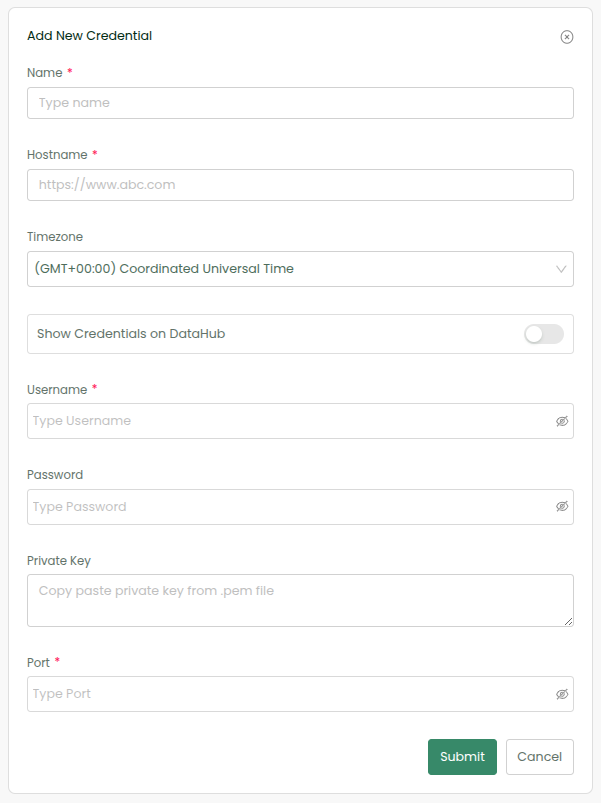
In the same workflow where you have talked to Shopify, add a step. In the success pathway (Option A), choose SFTP System and choose Add Credential under Select Credentials. Fill up the SFTP Cloud Server details and click on Submit.
### Choose Action
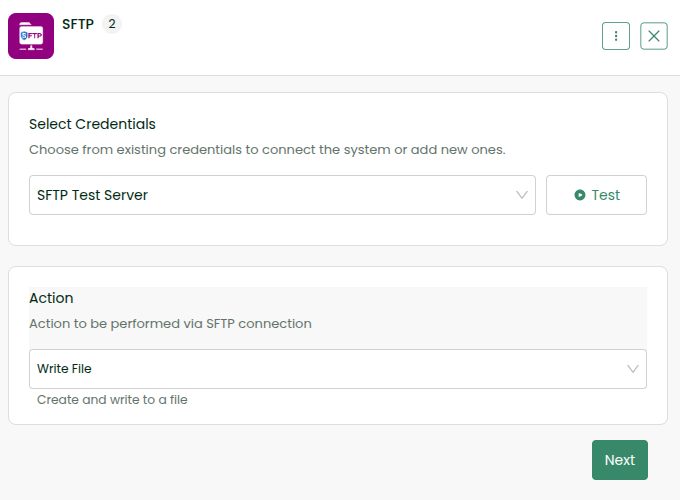
Choose Write File Action and select Next
### Configure Action
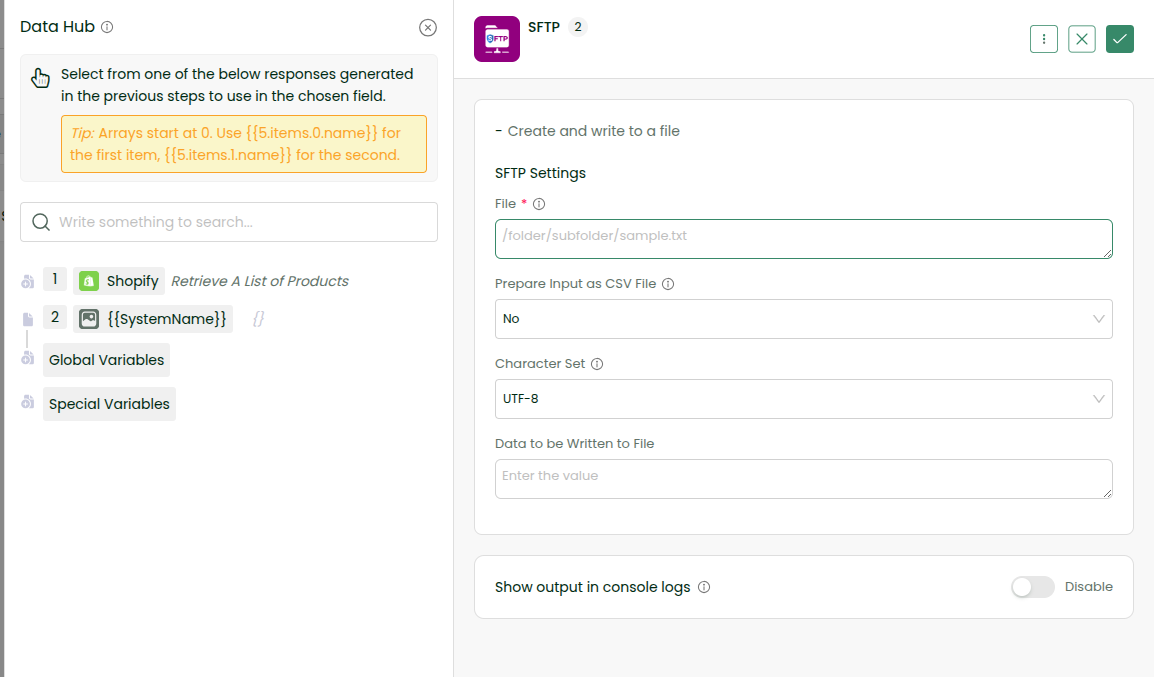
3.1 Type the file path from the root folder. Example: /shopify/products.json
3.2 Keep the cursor within the Data to be Written to File. Data Hub opens – select Shopify step from there. Click on plus icon. It expands. Click on response. Select products by clicking on it. Now the field is automatically with data like \{{1.response.products\}}
3.3 Enable Show Output in Console Logs to visualize the result of our experimentation.
3.4 Click on the tick icon on the top right corner.
### Save and Run the Workflow
Click on Save and then Sync Now. Click on Logs -> View Logs to visualize the result. You can also refresh and find the file in SFTP Server.
#### ✅ Nailed it! You have made Shopify talk with SFTP via DCKAP Integrator!