#### Initialize a Variable
In the same workflow, let’s initialize a variable with the following details:
| Variable | Type | Value |
| ——– | —- | ————————————————————— |
| emails | JSON | `[“
#### Use Inline Transformation
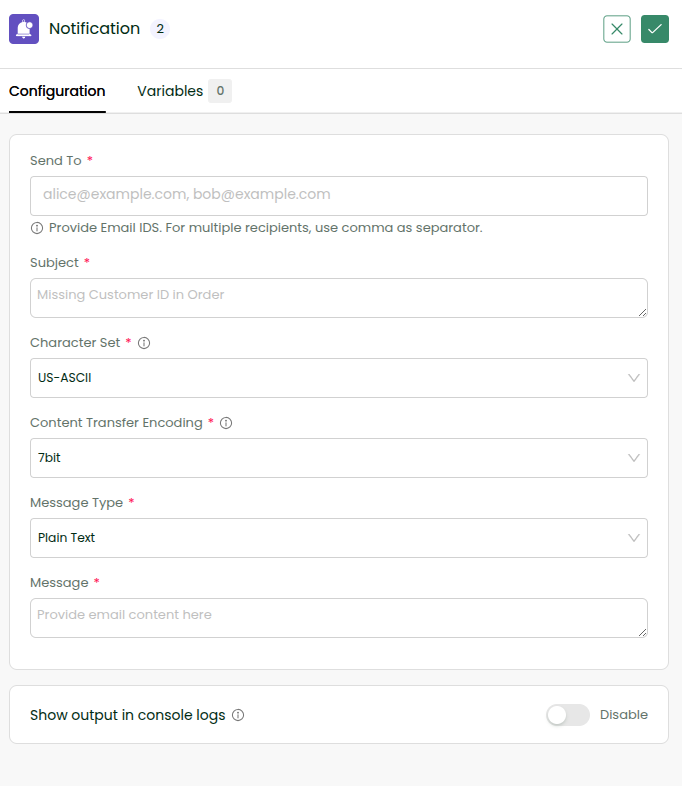
* Edit the Notification step
* In the **Send To** field:
* Select the emails variable from Data Hub
👉 Now, instead of using it directly, apply transformation:
`{{variables.emails.join(“,”)}}`
📌 Why?
* The system expects comma-separated emails
* But our variable is a JSON array
* `.join(“,”)` converts it into the required format
#### Run and Verify
* Save the workflow
* Click Sync Now
* Check your inbox
🎉 Congratulations, you have successfully experimented with an inline transformation.
To explore more, check Inline Transformations and Allowed Functions in Inline Transformation with examples.