Add/Edit Credential
From the Credentials section on the systems page, click on Add New Credential to create new credential details:
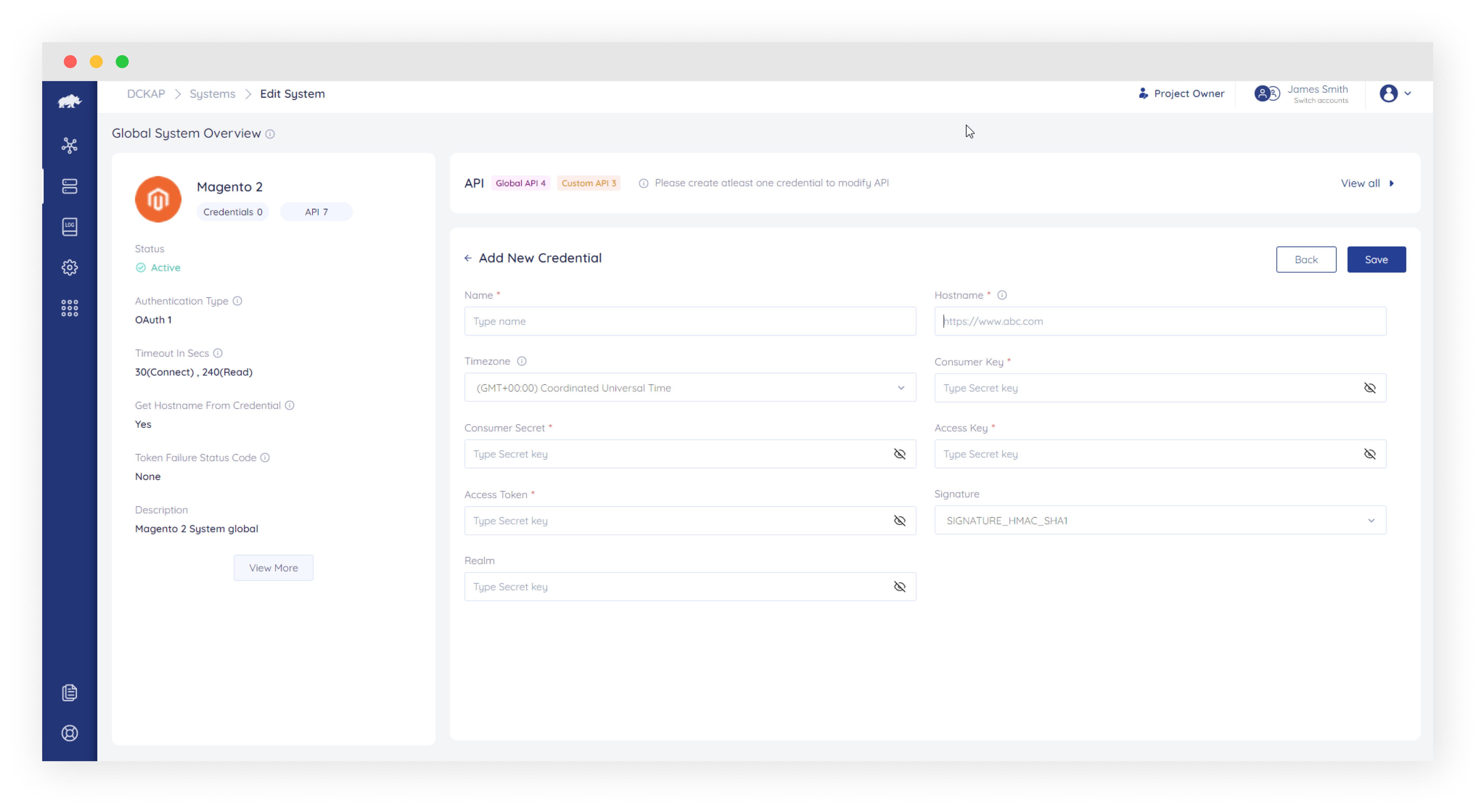
Provide the following fields:
| Field Name | Description |
|---|---|
| Field Name | Description |
| Name | Enter a suitable name for your Credential details |
| Hostname |
Enter your system URL in the format.
|
| Timezone | Select the target system server timezone. This will be used to fetch data based on the respective timezone. |
| Secure Keys | Provide secure keys depending on the system chosen |
Click on Submit to save the credential details. Once added, test the connection to ensure that proper credential details are provided.
Reuse Token in Test Connection
When the test connection button is clicked, DCKAP Integrator generates a token and reuses it. This token can be reused till it’s valid. Users have the ability to test with a fresh token or with an existing token.
- Test with Fresh Token: DCKAP Integrator will generate a new token for testing the connection.
- Test with Existing Token: DCKAP Integrator will use the previously generated token for testing the connection with the system.
Server Health Check-up
The Server Health Check-up is used to check the status of the server (Available or Down) by pinging the server at regular intervals. If the server is down/not available during the ping, DCKAP Integrator will notify the Project Owner and Admin via email.
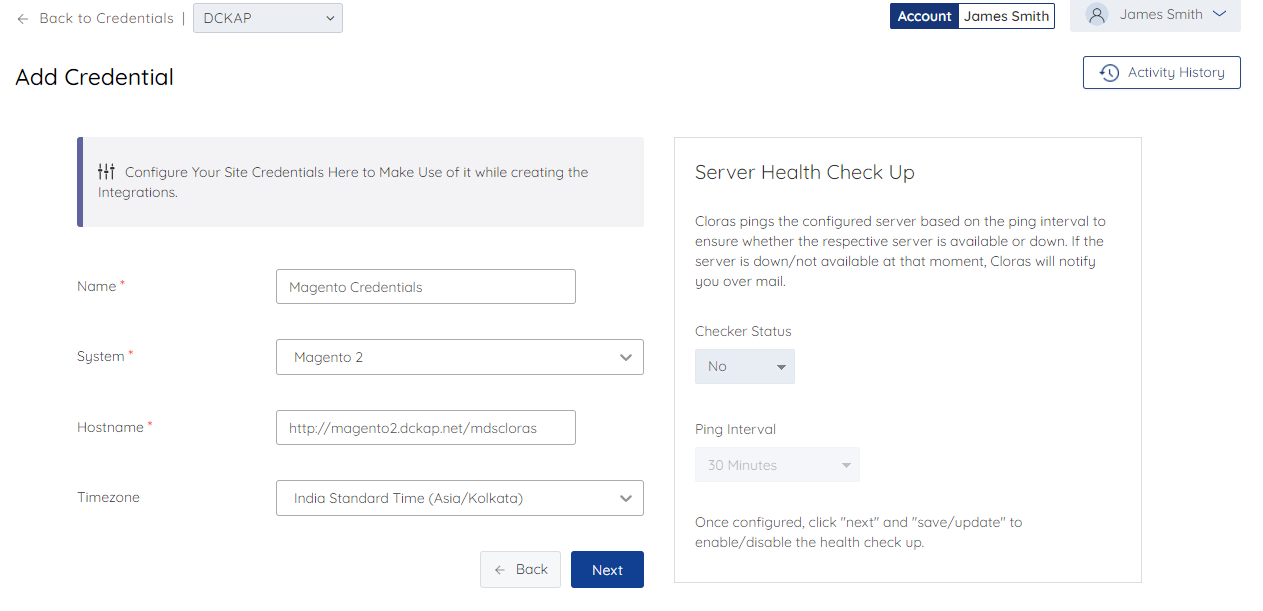
Click Configure in the respective credential row in the credentials section.
Provide the values to the below fields
- Checker Status: Setting this to Yes will enable the Server Health Check-up.
- Ping Interval: The frequency of checkups