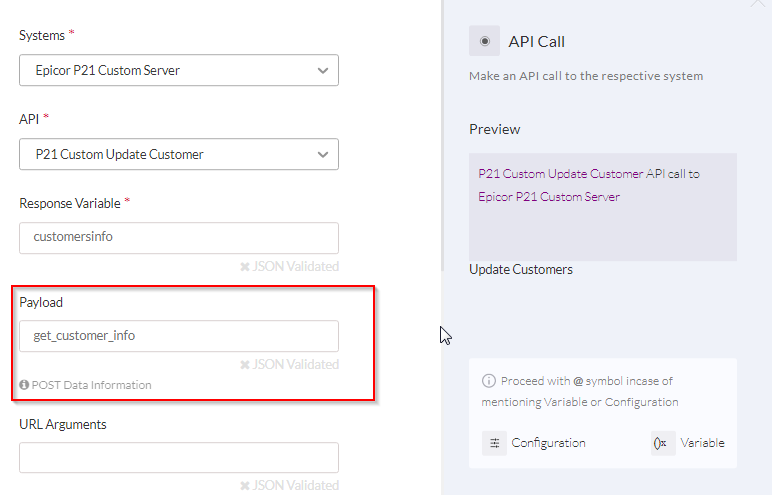
The following are the components that are required in making successful API Calls to a system:
Params, Headers, Body Structure
Three fields are set for each parameter/header/body:
| Field | Description | Example |
|---|---|---|
| Field | Description | Example |
| Label | A suitable display name for headers/params/body data | Content-Type |
| Key | Variable name at which the value is populated | Content-Type |
| Value | The actual value stored in the Key | application/json |
The above values can be bulk edited in the format:
label::key::value
Content-Type::Content-Type::application/json
Accept::Accept::application/json
Request Methods
Request Methods specify the action to be performed by an API call, on a resource. Choose from the drop-down list.
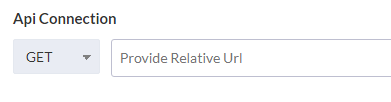
For more information on Request methods click here.
Relative URL / Endpoint:
The endpoint is the location or touch-point of communication, from which the API can access resources to carry out its functions.
Let’s say you want to invoke an API call using a URL such as http://www.example.com/api/customers.
Here, the host-name www.example.com is provided in the credentials section in the Projects Area. So only the relative URL /api/customers needs to be provided here.
Some examples are
<GET> /api/customers/{customer_id}

<POST> /api/customers

<PUT> /api/customers/{shipping_id}/editshipping
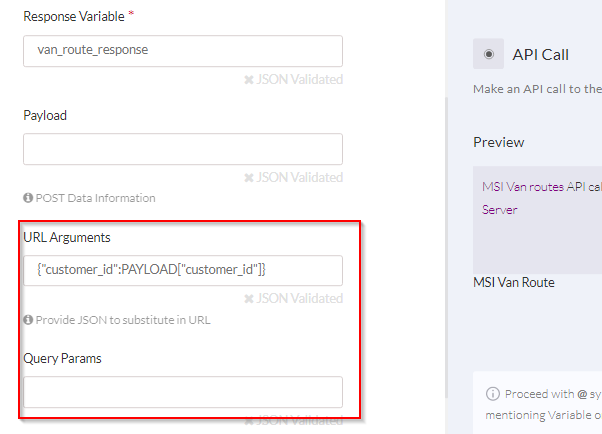
In an API call, URL arguments and query parameters can also be sent. These are defined in the ‘API Call’ handler in Flows.
Use Case – URL Arguments
Let’s say, you want to make an API call with dynamic values in the URL like http://www.example.com/api/customers/2. Here, 2 is the dynamic value. This can be achieved by replacing the dynamic value with a unique variable name and this value will be provided in Flows during run-time.
The Endpoint provided in the API Manager will be: /api/customers/{customer_id}
In order to assign the dynamic value, enter {"customer_id":"2"} in API Call Handler in the URL Arguments box. The Endpoint will then replace the URL argument as: /api/customers/2, which indicates that information from customer_id = 2 is accessed.
Params
Query parameters are also assigned in the API Call handler in Flows. Let’s say, you want to make an API call with query params in the URL like /api/customers/?format=json
The Endpoint provided in the API Manager will be: /api/customers and the query parameter defined in the API Call handler is {"format":"json"}.
The Endpoint will then include the query parameter.
Headers
Header data are passed as part of an API call.
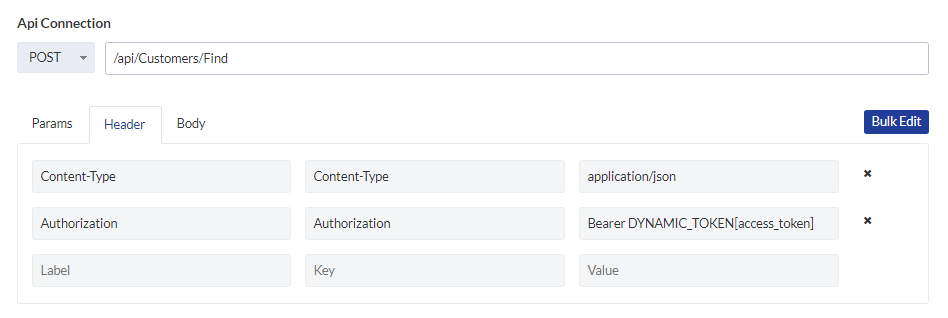
Commonly used Header data include:
- Content-Type
- Accept
For more information on Headers please click here.
Request Body
JSON objects that are sent along with a POST or PUT request, to create/ update a resource. Body parameters are dynamic data, usually assigned in the Payload section of the API Call handler in Flows.