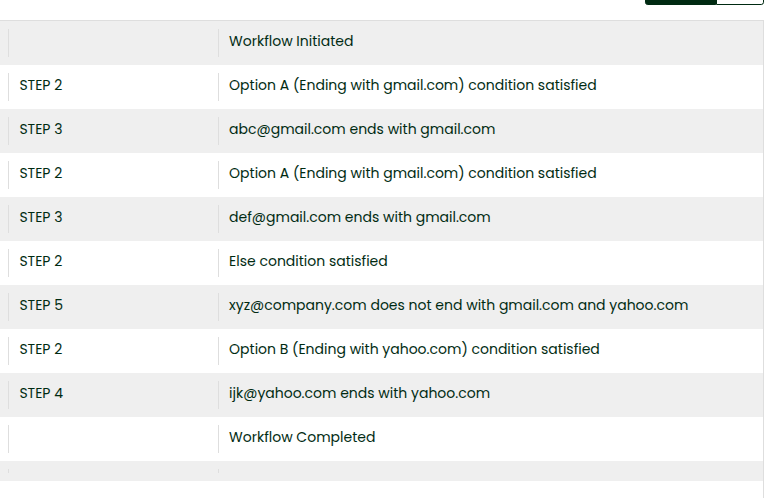
Scenario: From a given array of emails, print individually if an email ends with gmail.com or yahoo.com or not.
### Initialize Variable
Create a New Batch Workflow. Assume you have an array of emails. Let’s initialize a variable with the following details:
| emails | JSON | \[“abc@gmail.com”, “def@gmail.com”, “xyz@company.com”, “ijk@yahoo.com”] |
| —— | —- | ———————————————————————– |
***
### Loop through the JSON Array
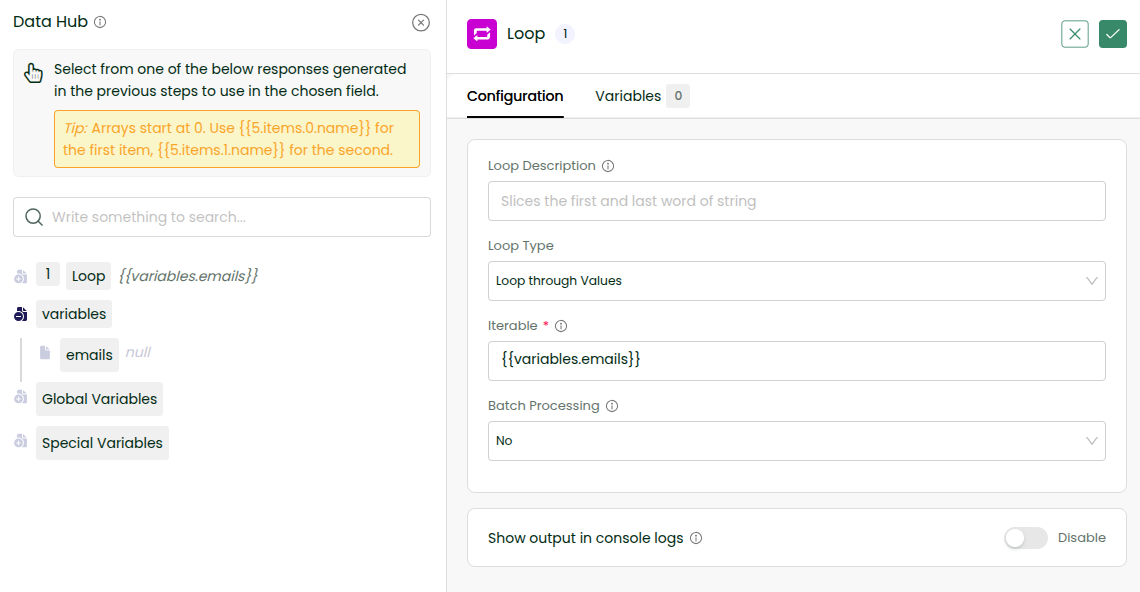
Add a loop tool to iterate through the JSON Array. By default, loop through values is selected as loop type which is for loop iterating through all values. In iterable, choose from Data Hub, variables -> emails.
### Configure Decision Step
Add a decision step inside the loop. The Decision step works like a conditional ladder — if a condition is met, that pathway runs; otherwise it checks the next condition, and so on until the else pathway. We have the ability to configure a title for each pathway. Let us have Option A for filtering emails ending with [gmail.com](http://gmail.com), option B for filtering emails ending with Ending with [yahoo.com](http://yahoo.com) and an else pathway. For each pathway to be executed, configure the condition to satisfy as shown below.
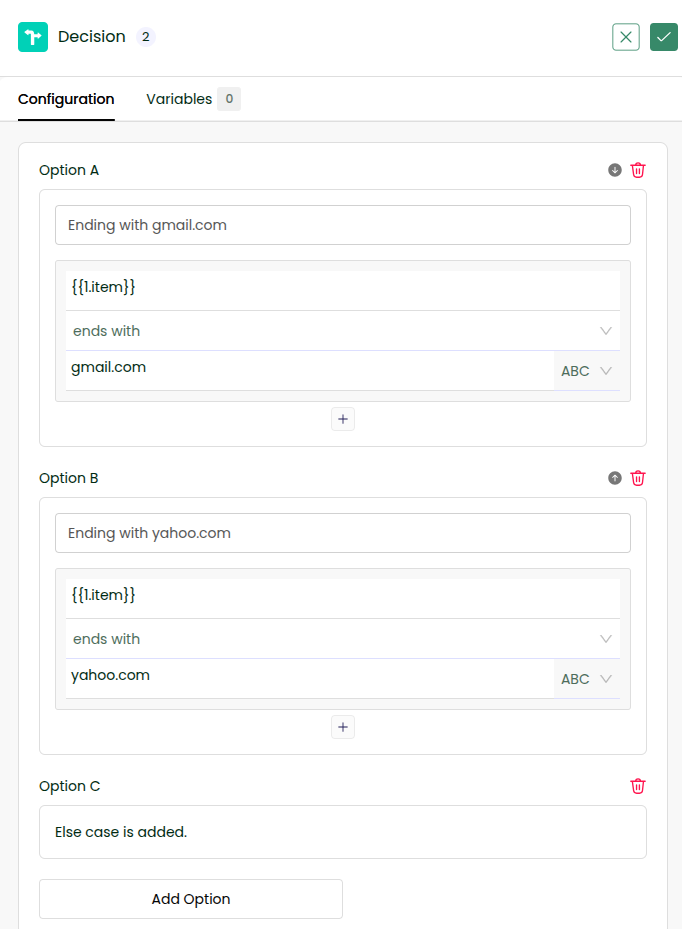
If your use case demands a complex/nested condition, you can use the plus icon.
### Add a Console for Option A
Click on Option A of Decision Step and add a Console. The current item being considered in the iteration is accessible in the Data Hub’s item when clicking plus icon before loop.
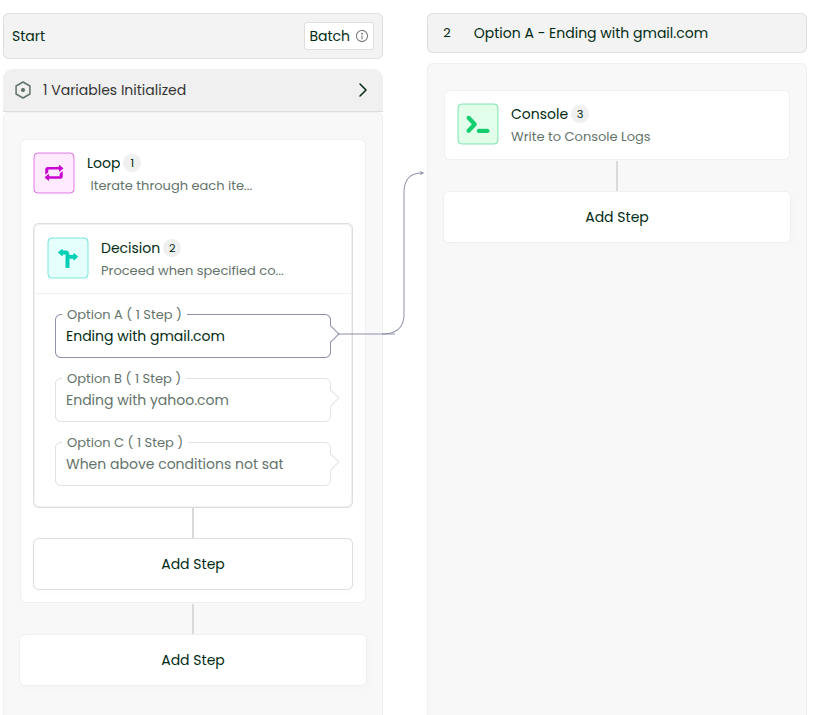
Configure the message as \{{1.item\}} ends with [gmail.com](http://gmail.com)
### Add a Console for Option B
For Option B, add a console with message, \{{1.item\}} ends with [yahoo.com](http://yahoo.com) and for else pathway, add a console with message – \{{1.item\}} does not end with [gmail.com](http://gmail.com) and [yahoo.com](http://yahoo.com)
### Save and Run
Enable console logs and save the workflow and run. Check logs.