Step-by-step guide
Stepper blocks let you break down a tutorial or guide into separate, but clearly linked steps. Each step can contain multiple different blocks, allowing you to add detailed information.
### Inside a project, go to Workflows
Click on Workflows from the left navigation menu

### Add a New Workflow
Click on the Add Workflow button
### Enter Workflow Details
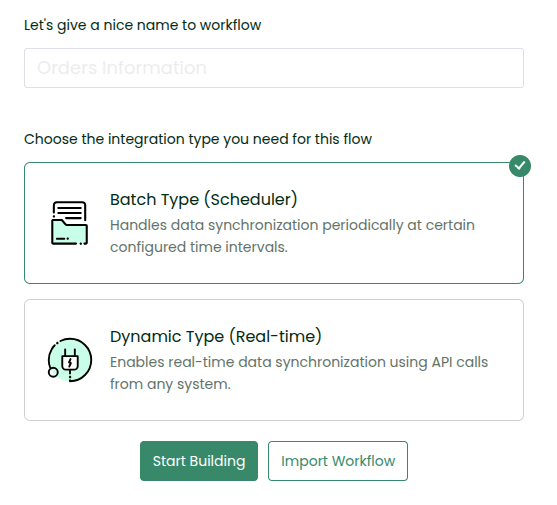
In the window that appears, choose a unique name for your workflow (less than 100 characters) and select the synchronization type — Batch or Dynamic — based on your use case.
\
To get started, you can give the name of the workflow as “Hello Workflow” and choose Batch Type (Scheduler).
### Start Building or Import
* Click Start Building to build the workflow from scratch
* Or click Import Workflow to upload an existing workflow
Let us click Start Building.